Template:Digital clock/doc
 | This is a documentation subpage for Template:Digital clock. It may contain usage information, categories and other content that is not part of the original template page. |
 | This template does not put a working clock on your page. This template adds a clock that shows the time when the page was last updated (or re-cached) and will not update each minute.If you do want a clock that constantly updates, then go to your Preferences and enable the item: "Add a clock to the personal toolbar that displays the current time in UTC and provides a link to purge the current page" under Appearance. |
This template displays a digital clock.
Usage
- To use this template, place the following on the page -
{{Digital clock}}. - This template should never be substituted.
- This template should be purged to reflect current time.
- If your area follows DST, you will have to change the time manually.
Parameters
All parameters given below are optional and not necessarily be used.
{{Digital clock

|format = 12 or 24 (default: 24)

|offset = number of hours + or - UTC (default: 0)

|size = width of each digit in pixels (default: 70)

|color = any color name or HTML color code (default: red)

}}
Offset
The clock has a parameter that allows you to give an offset from UTC time. The offset can be fractional to adjust the time by any number of hours and minutes. Therefore this code -
{{Digital clock|offset = +5.5}} will produce this clock:
 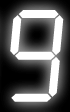  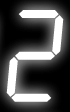 |
Format (12 or 24 hours)
You can set the format parameter to 12 or 24 to get a 12 or 24 hour time format! 12 hour clocks get an additional segment space for displaying am/pm. Therefore {{Digital clock|format = 12}} will produce:
 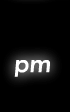 |
Size
You can set nearly all sizes for the clock to display. It defaults to 70x112px. To set a size of 20 pixels you will have to type {{Digital clock|size = 20}} and it will display something like this:
    |
Color
You can set all types of colors for the clock to display. It defaults to red. You can use a HTML color code or directly write the color name. To display a clock with cyan color you will have to type {{Digital clock|color = cyan}} and it will display something like this:
 |
Borders
This is actually not a parameter but a way to design different types of borders for the clock. Normal HTML can be used to add borders and padding space. One tricky bit is that <div> elements expand to the full width of their container, which will make the box too wide. So we must specify an exact width for it, by multiplying the segment size by 5 (for 24-hour clocks) or 6 (for 12-hour clocks): A complete list of borders is available at the User Page Design Center
 <div style="background:black; padding:5px 15px; border:3px inset cyan; width:300px;">
{{Digital clock}}
</div>
    |
 <div style="background:black; padding:5px 15px; border:3px inset cyan; border-radius:15px; width:300px;">
{{Digital clock}}
</div>
|
Vertical clocks
Wrapping the clock in a <div> with the same width as the segments will make it vertical. Borders work as normal. The vertical clock isn't displayed to prevent inconvenience but this code works perfectly.
 <div style="float:right; width:40px; border:5px solid black">
{{Digital clock}}
</div>
Random colors
Parser magic can be used to pick a random color each time the page is generated. Use the following code to pick random colors from the colors specified. Note - You can change the colors given according to your preference. This code will produce the clock given below.
{{Digital clock |color = {{#switch:{{#expr:{{#time:U}} mod 6}} |0=red |1=orange |2=lime |3=yellow |4=cyan |5=magenta}}
 |
See also
Multiple units of time
| Type | Adjustable | Current | Last | Next |
|---|---|---|---|---|
| Date and time |
|
|
||
| Date only | ||||
| Month and year only |
|
| ||
| Time only |
|
|
||
| Banners |
|
|||
| Timestamp |
|
Single units of time
| Unit of time | Adjustable | Current | Last | Next |
|---|---|---|---|---|
| Second |
|
|||
| Minute |
|
|||
| Hour |
|
|||
| Week |
|
|||
| Day of Week |
|
|
||
| Month |
|
|
|
|
| Day of Month |
|
|||
| Year |
|
|
| |
| Day of Year |
|
|||
| Decade |
|
|
||
| Century |
|
|
||
| Millenium |
|
Date and time templates made for substitution
Parser functions
- mw:Special:MyLanguage/time permits a custom time specifier string, similar to the C date and time functions
Individual templates
- {{Calendar}}
- {{Calendar clock with Wikipedia stats}}
- {{Clock}}
- {{Digital clock}}
- {{Digital clock and date}}
- {{Infobox calendar date today}}
Categories of templates
Content Disclaimer
Informasi ini disarikan dari Wikipedia dan disajikan kembali untuk tujuan edukasi. Konten tersedia di bawah lisensi CC BY-SA 3.0. Kami tidak bertanggung jawab atas ketidakakuratan data yang bersumber dari kontribusi publik tersebut.
- The information displayed on this website is sourced in part or in whole from Wikipedia and has been adapted for the purpose of restating it. We strive to provide accurate and relevant information, however:
- There is no guarantee of absolute accuracy. Wikipedia is an open, collaborative project that can be edited by anyone, so information is subject to change.
- It is not intended to constitute professional advice. The content displayed is for informational and educational purposes only. For important decisions (e.g., medical, legal, or financial), please consult a professional.
- Content copyright. Wikipedia is licensed under the Creative Commons Attribution-ShareAlike License (CC BY-SA). This means that content may be reused with appropriate attribution and shared under a similar license.
- Responsible use. Any risk arising from the use of information from this website is entirely the responsibility of the user.